
ReiBoot
ReiBoot is a Tenorshare utility for Windows that puts an iPhone or iPad into or out of recovery mode and repairs common iOS system problems.
69.7 MB

9.29.1974.1 · Microsoft · Page updated
The DirectX End-User Runtime Web Installer from Microsoft adds legacy DirectX components, such as D3DX, XInput and XAudio, that older games and apps need.
Average 0.0 · ratings: 0
Thank you! Your rating is saved; you can change it. Could not save the rating. Please try again later. Too many ratings from your network today. Please try again tomorrow. The average appears after 5 ratings.
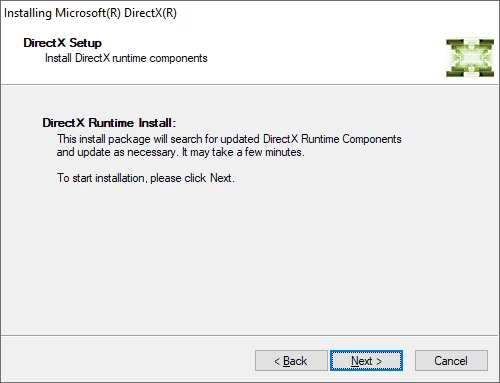
DirectX Runtime 9.29.1974.1, officially the DirectX End-User Runtime Web Installer, is a small tool from Microsoft that adds legacy DirectX components to Windows. You can download the DirectX End-User Runtime from the Microsoft Download Center when an older game or program reports a missing DirectX file.
| Parameter | Value |
|---|---|
| Version | 9.29.1974.1 |
| Developer | Microsoft |
| Components | D3DX, HLSL Compiler, XInput, XAudio, Managed DirectX 1.1 |
| Listed systems | Windows 7, Windows Vista, Windows XP SP2/SP3, Windows Server 2003 SP1/SP2, Windows Server 2008 |
| Licence | Freeware |
| Size | about 288.39 KB according to catalogue data (web installer) |
Modern Windows already contains the core of DirectX, but not the optional helper libraries that many games from earlier years were built with. The web installer checks your system and downloads only the components that are missing, including D3DX for graphics, the HLSL shader compiler, XInput for game controllers, XAudio for sound and Managed DirectX 1.1 for some .NET applications. That is why the file itself is tiny: the real payload arrives during installation. Microsoft also offers the DirectX End-User Runtimes as a single full package, which contains all of the same components and is recommended when you need to install them on a PC without a reliable internet connection or on several computers. For most players, the web installer is the quicker option. The official list names older Windows versions; on a newer PC, read the Microsoft pages linked below before installing.
The core DirectX on Windows 10 and 11 is updated through Windows Update, not through this installer, as Microsoft Support describes. So if a new game needs a newer DirectX, update Windows and your graphics driver.
If the installer stops with an error, check the internet connection, temporarily pause third-party security software that blocks downloads, and run it again as administrator. If a game still reports a missing file afterwards, reinstall the game, because some titles install their own copies of these components, and update the graphics driver.
The installer is free and comes from Microsoft. Download it only from microsoft.com; sites that offer single DirectX DLL files are a known source of malware.
Our listings also include DirectX 9.0c, DirectX 10, DirectX 11 and DirectX 12.
ReiBoot is a Tenorshare utility for Windows that puts an iPhone or iPad into or out of recovery mode and repairs common iOS system problems.
DirectX 9.0c is an older version of Microsoft's multimedia and graphics APIs that many classic Windows games still need to run.
DirectX 10 is a version of Microsoft's multimedia and graphics API that comes with Windows; older games may also need the DirectX End-User Runtime.

3uTools is a free Windows program for managing an iPhone or iPad from a PC, including files and device information.

Huawei HiSuite is Huawei's official PC suite for Windows and macOS for backing up, managing and updating Huawei phones and tablets.
DirectX 11 is a version of Microsoft's collection of multimedia and graphics APIs that Windows games and apps use to work with the graphics card and sound.
DirectX 12 is Microsoft's graphics and multimedia API for Windows. It is part of the system and updated through Windows Update and graphics drivers.

DriverPack Solution is a free Windows tool by Artur Kuzyakov that detects missing or outdated drivers and installs them from its own driver collection.